
LinkedIn headshots in Portland: the complete guide
Your LinkedIn photo is the first thing a recruiter, client or hiring manager sees, usually at the size of a postage stamp. This guide covers what makes a LinkedIn headshot work, what to wear, how to pose, how to get ready, and what a session costs at our downtown Portland studio.
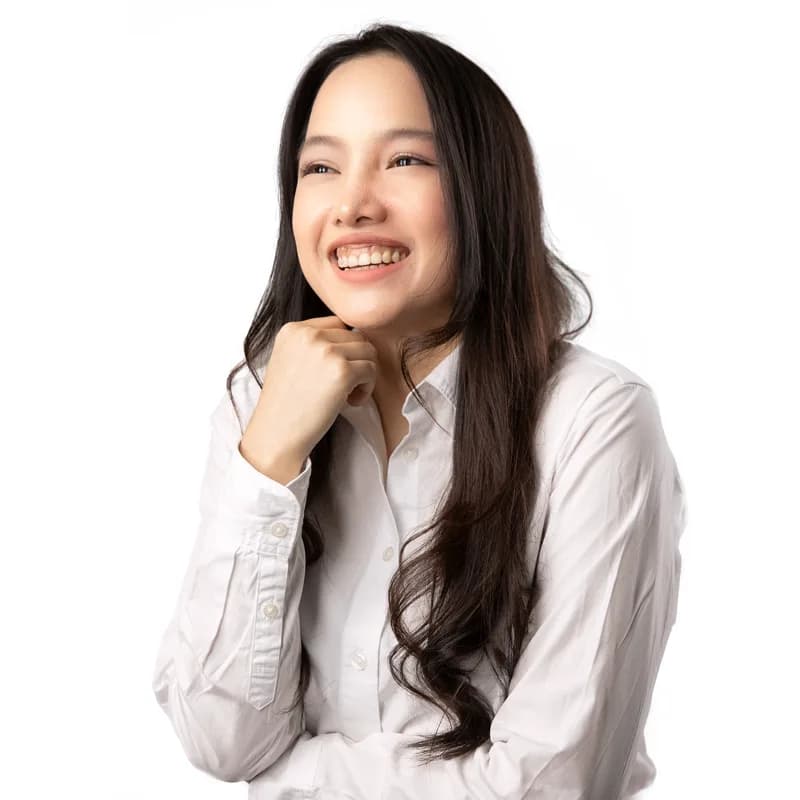
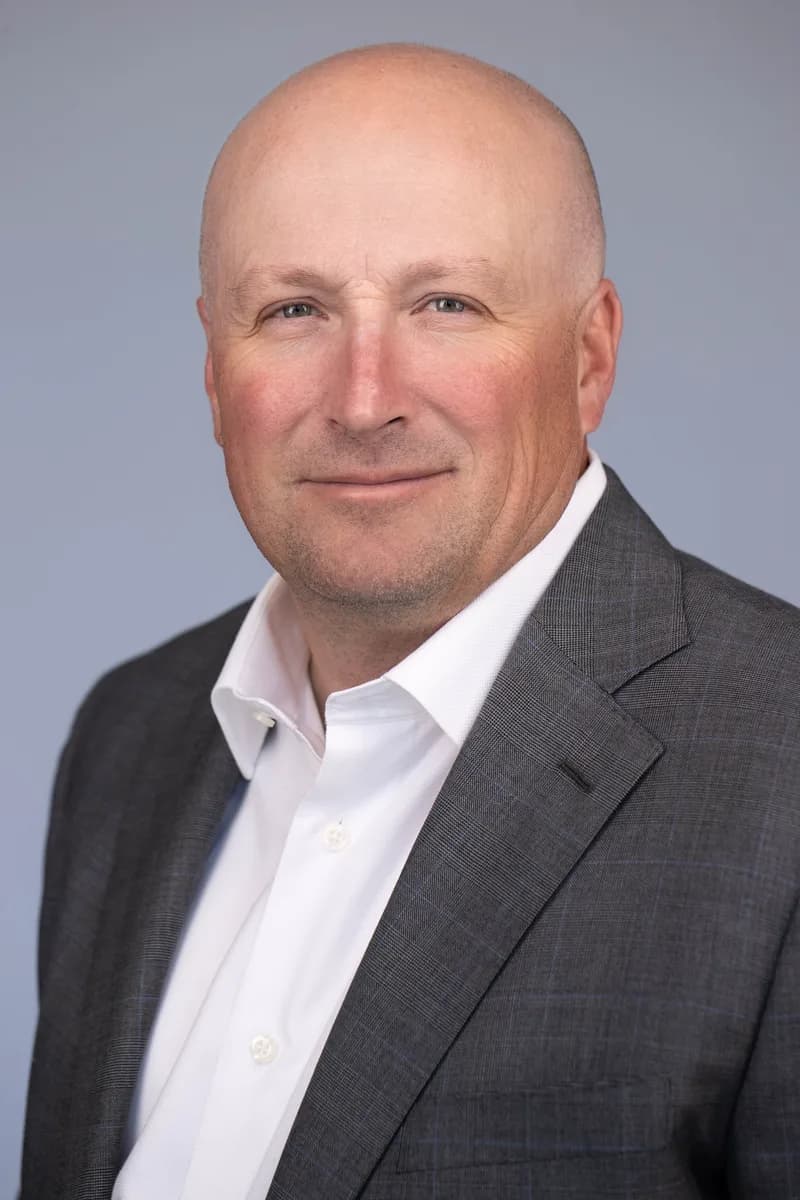

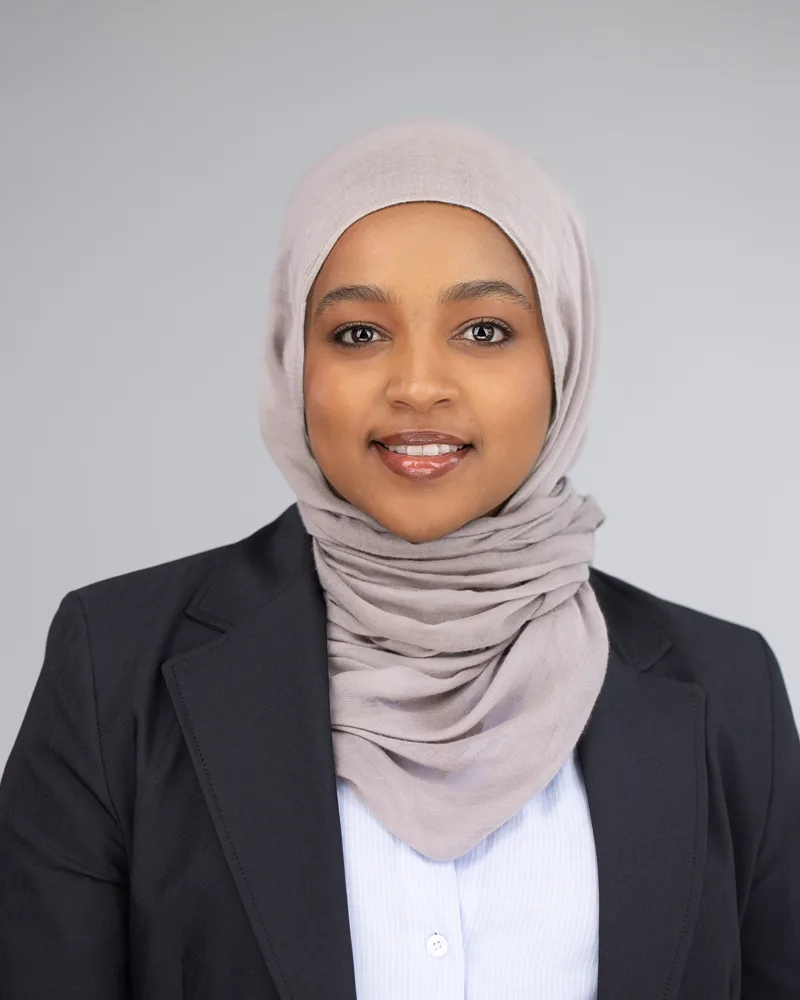
What is a LinkedIn headshot?
A LinkedIn headshot is a tightly framed photo, roughly shoulders up, shot to read clearly in a small circle. It has one job: make the person looking at your profile feel like they already know you a little and would want to talk to you.
That is different from a full-length portrait or an editorial branding photo. The framing is tighter, the expression is warmer, and the background is quiet so nothing competes with your face. Everything about the shot is tuned for a thumbnail.
Why a good one matters
Profiles with a photo get far more views and connection requests than profiles without one, and a professional photo outperforms a cropped vacation picture every time. Recruiters skim. Clients Google you before a first call. The photo does a lot of the work before you say a word.
In Portland specifically, we shoot for people in tech, healthcare, law, real estate, nonprofits and the trades. The common thread is that they want to look like the competent, likeable version of themselves that shows up in a good meeting, not a stiff version in a rented suit.
What to wear for a LinkedIn headshot
Dress one notch above how you show up to work. If your office is hoodies, wear a clean crew neck or a collared shirt. If it is suits, wear the suit. The goal is to look like you on a good day, not like someone else.
- Solid colors photograph best. Navy, charcoal, forest green, burgundy and jewel tones all work. Avoid busy patterns and thin stripes, which shimmer on screen.
- Pick a color that contrasts with the background you want. Dark clothing on a dark backdrop disappears at thumbnail size.
- Necklines matter more than you think in a tight crop. Collars, blazers and structured necklines frame the face. Very wide or very low necklines look odd cropped to a circle.
- Bring two or three options. We will tell you within a minute of the first frames which one is working, and switching takes seconds.
- Skip logos, large jewelry and anything you would be embarrassed to explain in an interview.
How to pose and what to do with your face
You do not need to know how to pose. That is our job, and it is most of what you are paying for. Every session is coached from behind the camera: where to put your weight, how to angle your shoulders, what to do with your chin, when to breathe out.
For LinkedIn we usually want a slight turn of the body with the face coming back toward the camera, chin forward and down a touch, and an expression that reads as confident and open. Some people photograph best with a closed-mouth smile, some with teeth, some with almost no smile at all. We shoot all three and you pick, looking at the images live on a monitor as we go.
Backgrounds and looks
For LinkedIn we lean toward clean studio backgrounds: a light gray, a soft white, a charcoal or a muted color that complements your outfit. They look sharp in a thumbnail, they age well, and they match whatever your company uses on its website.
If your brand is more relaxed, a lightly blurred environmental look works too. We can do both in the same session so you have a corporate version and a warmer one for your own site or speaking bio.
How to prepare
- Get a haircut a week or so before, not the day before. Fresh cuts look severe for a few days.
- Sleep. Drink water. Skip the salty dinner the night before. It sounds trivial and it shows in the photos.
- If you wear makeup, wear what you would wear to an important meeting. Matte over shine; we can fix shine in retouching but natural always looks better.
- Bring your glasses if you wear them. We have ways to control glare, and people who normally wear glasses look strange without them.
- Steam or iron your shirts. Wrinkles are the one thing retouching can't fully fix.
- Arrive a few minutes early so you are not rushing into the studio with your heart rate up.
"I'm not photogenic."
Most people who say this are right about their past photos and wrong about themselves. Bad photos are almost always caused by bad direction, harsh light and a camera pointed at someone who was told to "just act natural", which is impossible on command.
A coached session removes all of that. You are never guessing what to do. You see every frame on the monitor seconds after it is taken, so there is no anxious waiting to find out how it went. Most clients who came in dreading it leave saying it was the easiest part of their week.
How much do LinkedIn headshots cost in Portland?
We quote every session individually rather than publishing a rate card, because no two people need the same thing. What you pay depends on what you need: a single clean look for one person, or a couple of looks with a change of outfit.
Tell us what you need it for and how many looks you want, and we will send a quote within one business hour. Every session includes coaching, live review on the monitor, professional retouching of your selected images, and delivery within 48 hours. If your whole team needs LinkedIn photos, mention the headcount and we will quote a team session, in the studio or at your office.
Frequently asked questions
How long does a LinkedIn headshot session take?
There is no time limit. Most people are done in about an hour, and a single-look session is often quicker.
When will I get my photos?
You choose your favorites on the monitor during the session, and retouched finals are delivered within 48 hours. Rush delivery is available if you have a deadline.
Is retouching included?
Yes. Every selected image is professionally retouched: skin, stray hairs, glasses glare and shine, keeping you looking like you.
What size and format will the files be?
You get high-resolution files plus web-sized versions cropped for LinkedIn, so you never have to fight the upload tool.
Can I bring more than one outfit?
Please do. Two or three options is ideal. Changing takes a minute and we will tell you quickly which one is working.
Where is the studio?
805 SW Broadway in downtown Portland, with paid garages and street parking nearby. We are open seven days a week by appointment.
More headshot guides
GUIDE
Corporate headshots
How to plan corporate headshots in Portland: in-studio vs on-site sessions, keeping a team consistent, what to wear, how to prepare, and what team headshots cost. Trusted by Nike, Intel and Columbia.
GUIDE
Actor headshots
A working actor's guide to headshots in Portland: the difference between commercial and theatrical looks, what agents and casting want, what to wear, how to prepare, and what a session costs.
GUIDE
Realtor headshots
A guide to real estate headshots in Portland: what buyers and sellers respond to, what to wear, backgrounds that work on signs and Zillow, how to prepare, and what a session costs.
GUIDE
Executive headshots
A guide to executive headshots in Portland for CEOs, founders and leadership teams: what a leadership portrait needs to say, what to wear, backgrounds, how to prepare with a tight schedule, and cost.
GUIDE
Lawyer headshots
A guide to attorney headshots in Portland: what clients and opposing counsel read into a photo, what to wear, backgrounds for firm websites, keeping a whole firm consistent, how to prepare, and cost.
Written by Nathan Reimche-Vu, Headshot Portland. Last updated 2026-09-13.